


What Tools and Software Are Best for Laser Engraving on Wood?
Laser engraving on wood has quickly become one of the most popular techniques for makers, DIY enthusiasts, hobbyists, and small business owners. From personalized gifts, custom signage, and home décor to intricate artwork and prototypes, engraving wood opens up endless creative possibilities. But achieving high-quality results requires more than just a laser engraver—you need the right combination of laser cutting machines, CNC equipment, software, accessories, and traditional woodworking tools.
We’ll explore the best tools and software for wood laser engraving, focusing on Algolaser laser engraving machines, optional accessories, and techniques to achieve professional results. We’ll also answer the six most frequently asked questions about wood engraving to help beginners and experts alike.
Why the Right Tools and Software Matter for Laser Engraving Wood
Engraving wood involves precision, control, and an understanding of material behavior. Different wood types—softwood, hardwood, plywood, MDF, basswood, birch, maple, or oak—require different laser settings, engraving depth, and cutting speed. The right combination of hardware and software ensures crisp lines, uniform engraving depth, minimal burning or charring, and consistent results across multiple projects.
Key elements for success include:
· High-quality laser engravers with precise power control (diode laser or CO2 laser)
· Vector design software to create custom SVG files
· CNC-compatible GCode files for automated engraving
· Rotary attachments for cylindrical objects
· Air assist and exhaust systems to remove smoke and debris
· Traditional woodworking tools for preparation and finishing
Essential Tools for Wood Laser Engraving
1. Laser Engraving Machines
Choosing the right laser engraving machine is the foundation for successful wood projects. Algolaser offers reliable models for both hobbyists and professionals:
· Algolaser Pixi 1.5W 1064nm – Compact and ideal for small-scale projects or intricate patterns on softwood, thin plywood, or craft wood.
· Algolaser Alpha MK2 20W/40W – Perfect for medium to large projects, capable of engraving hardwood, MDF, plywood, and layered wood designs.
· Algolaser Pixi 10W (rotary-ready) – High-precision option for cylindrical objects, small wooden tubes, rolling pins, and intricate personalized gifts.
These machines support high-resolution engraving, vector-based cutting, raster engraving, and batch processing. They are compatible with LightBurn, LaserGRBL, and other CNC laser software for full control over speed, power, and engraving resolution.
2. Rotary Attachments for Cylindrical Engraving
For round or cylindrical wooden objects like rolling pins, mugs, dowels, and tubes, rotary attachments are essential. Using a rotary chuck, roller, or rotary jig with your Algolaser Pixi ensures uniform engraving depth and alignment across the curve of the wood, preventing distortion or uneven lines.
3. Focusing Tools
Proper focus is crucial for sharp, detailed engraving. Algolaser machines come with focusing posts or digital focus sensors to adjust the laser height precisely. A correctly focused laser reduces burn marks, smoke residues, and engraving errors, producing clean and detailed designs.
4. Air Assist and Exhaust Systems
Wood engraving produces smoke, char, and debris that can interfere with the engraving process and damage the machine over time. Air pumps, air assist nozzles, and exhaust fans remove smoke, enhance engraving contrast, and improve laser cutting precision. Algolaser’s air assist systems are optimized for both diode and CO2 lasers, keeping your workspace clean and your projects professional.
5. Traditional Woodworking Tools
Even with lasers, traditional woodworking tools remain valuable for preparation and finishing:
· Sanding tools – Smooth the surface before engraving for sharper detail.
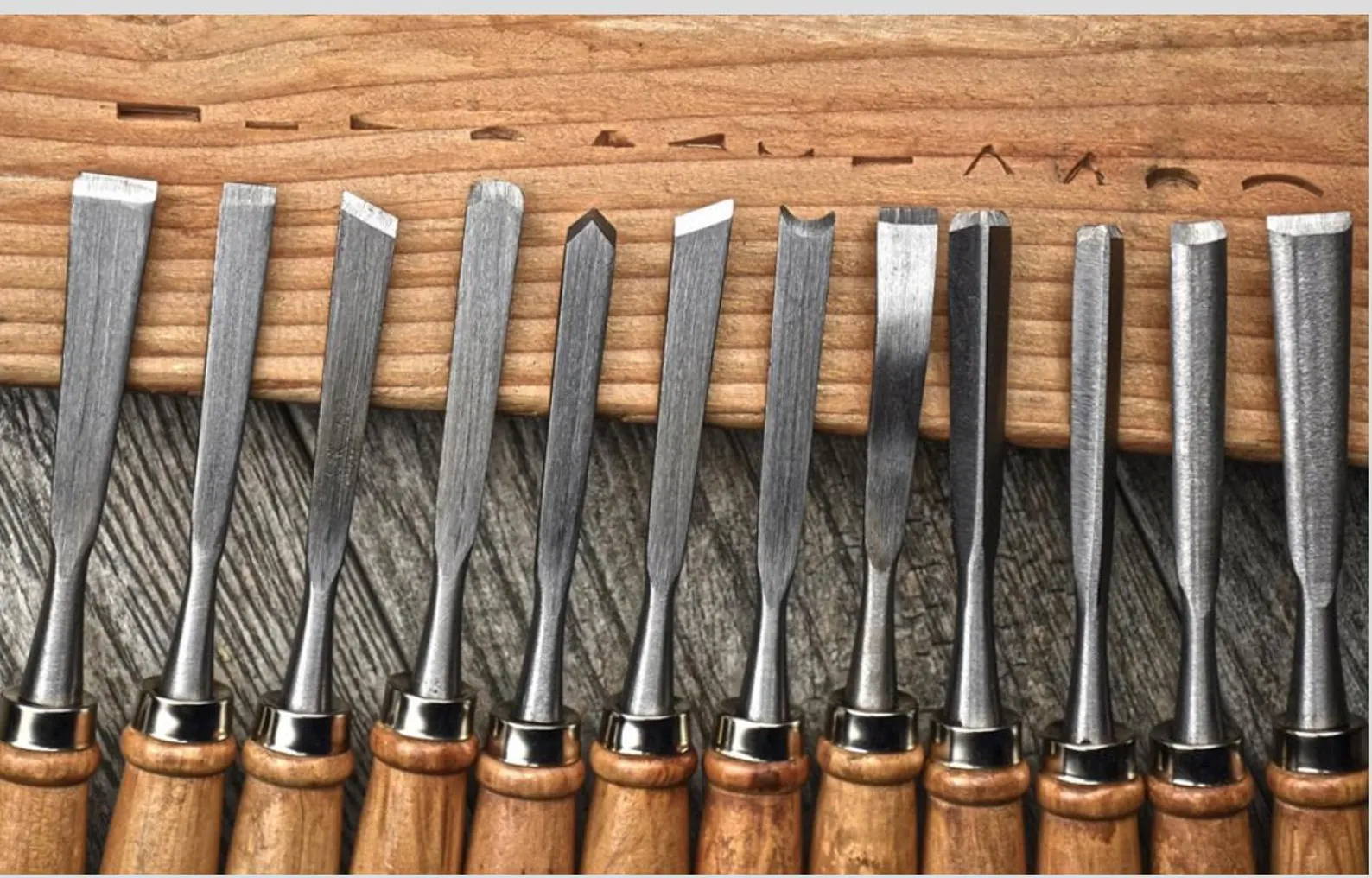
· Chisels and carving tools – Useful for touch-ups or adding depth after laser work.
· Clamps and jigs – Secure the wood during engraving, especially for uneven or large pieces.
· Measuring tools – Ensure precision alignment for multi-part or multi-layer projects.
Recommended Software for Wood Laser Engraving
1. LightBurn
LightBurn is a professional-grade software for laser engraving and cutting. It provides:
· Vector editing for SVG, DXF, and AI files
· Raster and grayscale engraving for images or textures
· Batch engraving and copy-paste project management
· Preview functions to simulate engraving before running the machine
· Full compatibility with Algolaser machines
2. LaserGRBL
LaserGRBL is a free, open-source software ideal for diode lasers and hobbyist CNC setups. Key features include:
· Converting images to engraving-ready patterns
· Controlling laser speed, power, and engraving depth
· Batch processing for small-scale projects
While simpler than LightBurn, it’s perfect for beginners or makers experimenting with various wood types.
3. Vector Design Software: Adobe Illustrator & Inkscape
Creating high-resolution vector files is essential for precise laser engraving. Both Adobe Illustrator (paid) and Inkscape (free) allow you to design complex patterns, text, logos, and shapes that can be converted into SVG or GCode files compatible with LightBurn or LaserGRBL.
4. Algolaser Free Blueprint Tutorials and Project Files
For those who want to skip initial design steps, Algolaser provides free blueprints and SVG/GCode files specifically optimized for their machines:
· Free Blueprint Tutorials: AlgoLaser Tutorials
· SVG & GCode Files: Free Project Files
These resources are perfect for practice, experimentation, and learning proper laser engraving workflows without the steep learning curve.
Tips for Achieving the Best Wood Laser Engraving Results
1. Select the Right Wood Type – Softwoods like pine or basswood engrave quickly but may burn easily; hardwoods like maple or oak require higher power but produce sharp lines.
2. Test Your Settings – Always perform test engravings on scrap wood to fine-tune speed, power, DPI, and laser passes.
3. Prepare the Surface – Sand and clean wood surfaces to prevent debris and dust from affecting engraving quality.
4. Use Air Assist – Keep smoke and debris away from the engraving area to maintain clarity and contrast.
5. Monitor Your Machine – Never leave a running laser unattended. Wood is combustible, and proper supervision ensures safety.
6. Post-Engraving Finishing – Light sanding, brushing off debris, and applying wood sealants can enhance contrast and durability.

6 Frequently Asked Questions (FAQs)
Q1: Which Algolaser machine is best for beginner wood engraving?
A1: The Algolaser Pixi 1.5W 1064nm is perfect for beginners, small projects, and intricate designs on softwood or thin plywood.
Q2: Can I engrave both softwood and hardwood with the same machine?
A2: Yes. The Algolaser Pixi 1.5W and Alpha MK2 20W/40W models can handle a variety of wood types by adjusting power, speed, and DPI.
Q3: Do I need professional software to use Algolaser machines?
A3: No, but LightBurn and LaserGRBL offer advanced vector editing, raster engraving, batch processing, and GCode generation, maximizing precision.
Q4: Are rotary attachments necessary for wood engraving?
A4: Only for cylindrical objects like rolling pins, wooden mugs, and dowels. Rotary attachments ensure uniform engraving depth and consistent rotation.
Q5: How can I prevent charring when engraving wood?
A5: Use proper laser power and speed, maintain focus, and apply air assist to remove smoke. Different wood types require different settings.
Q6: Can I use Algolaser free SVG/GCode files for commercial projects?
A6: Free files are intended for personal projects. For commercial use, check licensing or purchase commercial-use files.
Conclusion
High-quality wood laser engraving depends on the right combination of hardware, software, and accessories. Algolaser laser engraving machines, from the Pixi 1.5W to the Alpha MK2 20W/40W Laser Engraver, provide precision, versatility, and reliability for hobbyists and professionals alike. Pairing your machine with rotary attachments, focusing tools, air assist systems, and traditional woodworking tools allows you to create stunning flat or cylindrical wooden projects.
Software like LightBurn, LaserGRBL, Adobe Illustrator, and Inkscape ensures precise vector design, GCode generation, and raster engraving control. Combined with Algolaser’s free tutorials and blueprint files, beginners and experienced makers alike can improve efficiency, reduce trial-and-error, and achieve professional results on every wood engraving project.
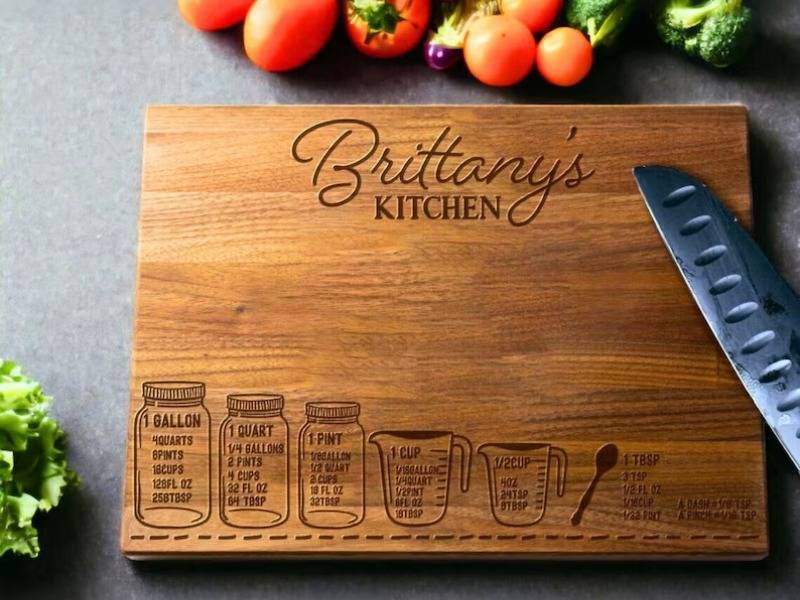
By experimenting with different wood types, adjusting laser power and speed, and utilizing rotary jigs, clamps, and air assist systems, you can create custom designs ranging from personalized gifts, wooden signage, decorative panels, jewelry, prototypes, home décor, 3D relief engravings, layered MDF projects, stencils, and even cylindrical wooden items like rolling pins and mugs.


