


Laser Products and Retail: How to Choose the Right Laser Engraver, Cutter, and Software for Real-World Projects
If you’ve been researching laser products retail, you’ve probably noticed something confusing right away: the term “laser products” gets used for everything from cheap handheld beam gadgets to full-blown laser engraving machines, laser cutting machines, and laser marking machines designed for serious customization work.
That’s a problem for beginners, because not every retail laser product is built for the same kind of job.
Some products are little more than novelty tools or low-power beam devices. Others are true desktop laser engravers designed to personalize wood, acrylic, leather, coated tumblers, anodized aluminum, and even selected metals. Some are ideal for hobby crafting, while others are powerful enough to support an Etsy shop, a local customization business, a craft fair side hustle, or a small production workflow.
As a geek laser engraver, I always tell people to ignore the buzzword and focus on the workflow. The best retail laser engraver isn’t simply the one with the biggest wattage number or the lowest sale price. It’s the one that matches your materials, your project goals, your workspace, and your software comfort level. If you want to build a custom laser engraving business, make laser engraved products to sell, or simply buy a home laser engraver that won’t frustrate you after the first week, you need to understand how retail laser products are actually divided.
I’ll break down the major categories of laser products for sale, explain where AlgoLaser fits into the current market, and compare the software side of the equation, including AlgoOS, LightBurn software, and LaserGRBL. Whether you’re shopping for a beginner laser engraver, a compact laser engraver for your craft room, a metal laser engraver, or a small business laser machine, this guide will help you choose a setup that makes sense.
What “Laser Products Retail” Really Means
The phrase laser products retail sounds simple, but in practice it covers a wide range of tools and accessories. Depending on where you shop, laser products can include:
· Desktop laser engravers
· Laser cutters and engraver combos
· Infrared laser engravers
· 1064nm laser engravers for metal marking
· Open-frame and enclosed laser engravers
· Portable laser engravers and mini laser engravers
· Laser rotary attachments
· Laser air assist kits
· Laser smoke purifiers and exhaust solutions
· Laser engraving software
· Laser material packs for wood, acrylic, leather, and coated metals
The trouble is that online retail stores often lump all of these into the same search results. That can make it hard for a new buyer to tell the difference between a fun gadget and a legitimate laser cutting and engraving system.
If your goal is to make personalized gifts, custom signs, tumblers, ornaments, jewelry tags, or laser-cut plywood products, you are not looking for a toy. You’re looking for a consumer laser engraver or professional laser engraver that can deliver clean, repeatable results and support an actual project workflow.
That’s why the first question to ask is not “What laser is cheapest?” but “What kind of laser machine do I actually need?”
Retail Laser Products Fall Into a Few Major Categories
1) Smart desktop laser engravers for home users and beginners
For many people, the best place to start is a smart laser engraver with a compact footprint and a manageable learning curve. This category is ideal if you want a beginner laser engraver, a personal laser engraver, or a laser engraver for home business use.
A good desktop engraving machine should be easy to set up, easy to focus, and easy to control. It should also fit naturally into a spare room, office, garage workshop, or small maker space. If it includes a clean user interface and a beginner-friendly laser project workflow, even better.
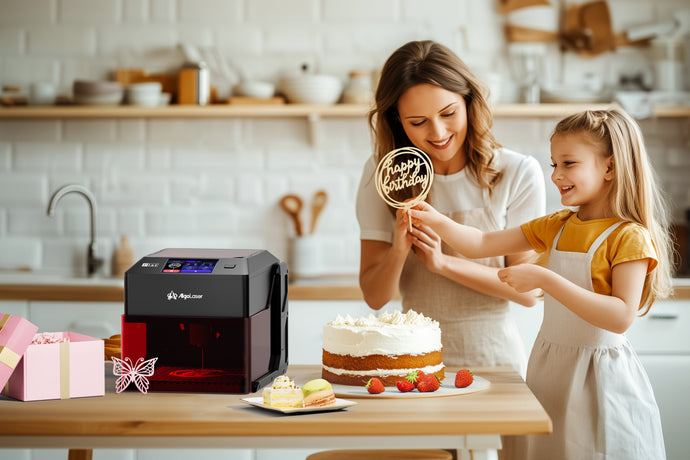
This is where machines like the AlgoLaser Pixi line make sense. A compact unit like this fits the modern retail laser market well because it appeals to both casual makers and people who want to turn customized goods into a side income. It’s not just a mini laser engraver for fun; it can also function as a laser gift making machine for small-batch products like:
· engraved coasters
· wooden ornaments
· personalized keychains
· leather patches
· small business branding tags
· photo engravings on wood
· desk signs and home décor
If you’re shopping for the best laser engraver for home use, a compact laser engraver machine often makes more sense than a huge open-frame system. It’s easier to place, easier to manage, and more realistic for people who are still learning speed, power, and material settings.
2) Infrared laser engravers for metal products and premium personalization
Not every laser personalization machine is built for the same materials. If you want to engrave metal products—especially stainless steel accessories, brass tags, anodized aluminum blanks, bottle openers, rings, pet tags, or jewelry—then an infrared laser engraver can be a much smarter retail purchase than a standard visible-light diode unit.
This is where products like the AlgoLaser Pixi 1064nm 1.5W infrared laser engraver stand out. A 1064nm laser engraver is designed for applications where a desktop metal engraver needs to produce fine detail on metals and selected plastics with cleaner marking behavior than many general-purpose diode machines.
If your product ideas include:
· engraved rings
· custom dog tags
· bottle openers
· stainless flasks
· metal business cards
· jewelry blanks
· premium wedding favors
then a metal laser engraver becomes much more relevant than a standard craft laser.
This category is especially useful for anyone building a laser machine for personalized gifts or a laser engraver for custom orders focused on metal goods. In the retail market, that’s a major distinction. A beginner who wants to engrave basswood signs should shop differently from a seller who wants to produce engraved stainless bottle openers for a gift shop.
3) More powerful diode laser systems for cutting and small-batch production
If your goal is not just engraving but actual cutting—especially laser cut plywood, basswood, MDF, layered décor, display parts, gift boxes, or retail packaging—then a more powerful diode platform is often the better investment.
This is where the AlgoLaser Alpha MK2 series and some AlgoLaser DIY KIT machines become much more compelling.
A stronger laser cutter and engraver is usually the right choice if you want to:
· cut 3mm plywood for signs or ornaments
· build layered wall art
· make custom storage boxes
· produce gift packaging
· create market-ready wood products
· handle more volume for a laser engraving side business
This class of machine is often the best fit for:
· Etsy sellers
· craft fair vendors
· home décor makers
· woodworking hobbyists
· teachers building school maker projects
· anyone starting a laser retail product maker workflow
When people search for the best laser engraver for small business, they’re often really asking for a system that can do both engraving and useful cutting. A stronger diode platform gives you that flexibility, which is why it tends to be the sweet spot for side hustles and small batch laser production.
Why AlgoLaser Fits the Retail Laser Market So Well
What I like about AlgoLaser is that it doesn’t try to solve every use case with one generic machine. Instead, it offers a product line that maps well to real-world retail needs.
If you want a laser engraver for beginners, the AlgoLaser Pixi gives you a more approachable entry point. If you want more cutting power and a broader build platform, the AlgoLaser Alpha MK2 makes more sense. If you want a more affordable open-frame route with solid value, the AlgoLaser DIY KIT is worth a look. And if you want a retail-friendly laser engraver for metal, the AlgoLaser Pixi IR gives you a compact path into metal personalization.
That range matters because buying a small business laser machine is rarely just about the machine body. You’re really buying into an ecosystem that includes:
· hardware
· software
· accessories
· materials
· workflow support
· upgrade potential
A good retail laser setup should make it easier to move from your first sample piece to repeatable output. That’s where AlgoLaser’s mix of AlgoOS laser workflow, compatibility with LightBurn software, and support for more traditional control methods like LaserGRBL becomes valuable.
Software Matters Just as Much as the Machine
A lot of first-time buyers compare machines based only on wattage, work area, or price. That’s understandable, but it misses one of the most important parts of the buying decision: laser engraving software.
Software controls the day-to-day experience of using your machine. It determines how easily you can:
· import files
· arrange designs
· set speed and power
· preview the engraving area
· run a frame check
· save project settings
· repeat production jobs
· engrave text cleanly
· manage different materials
If you’re shopping for a laser engraver with software included, this is a major part of the value.
AlgoOS: a simpler path for beginners
AlgoOS is one of the more interesting parts of the AlgoLaser ecosystem because it helps bridge the gap between a hobby tool and a genuinely user-friendly standalone laser engraver. On supported machines, it can reduce dependence on a computer-first workflow and make it easier to launch projects, preview placement, and manage jobs directly.
For beginners, that’s huge. A machine with a smoother interface, simple presets, and easier navigation can be the difference between actually making projects and letting the laser collect dust on a shelf.
For many new users, a touchscreen laser engraver with a built-in operating system feels far less intimidating than jumping straight into a full production software environment.
LightBurn: the serious productivity option
If AlgoOS helps reduce friction, LightBurn software helps expand capability. It’s still one of the most important pieces of laser cutter software on the market because it gives users deeper control over layout, layers, power settings, image processing, text, and production logic.
If you plan to grow from occasional projects into a laser machine for Etsy sellers or a laser engraver for side hustle work, LightBurn becomes especially valuable. It’s one of the best tools for dialing in a repeatable product personalization workflow.
LaserGRBL: a familiar traditional option
LaserGRBL remains relevant because it gives many diode-laser users a simpler traditional path for basic engraving and machine control. It’s not always the most advanced solution, but it still belongs in the conversation when people compare retail laser workflows.
For some users, especially those who like straightforward control and basic project execution, LaserGRBL is still a useful piece of the toolset.

What Can You Actually Make With a Retail Laser Engraver?
This is where laser products become fun, but it’s also where buying the wrong machine becomes obvious.
A good retail laser setup can help you:
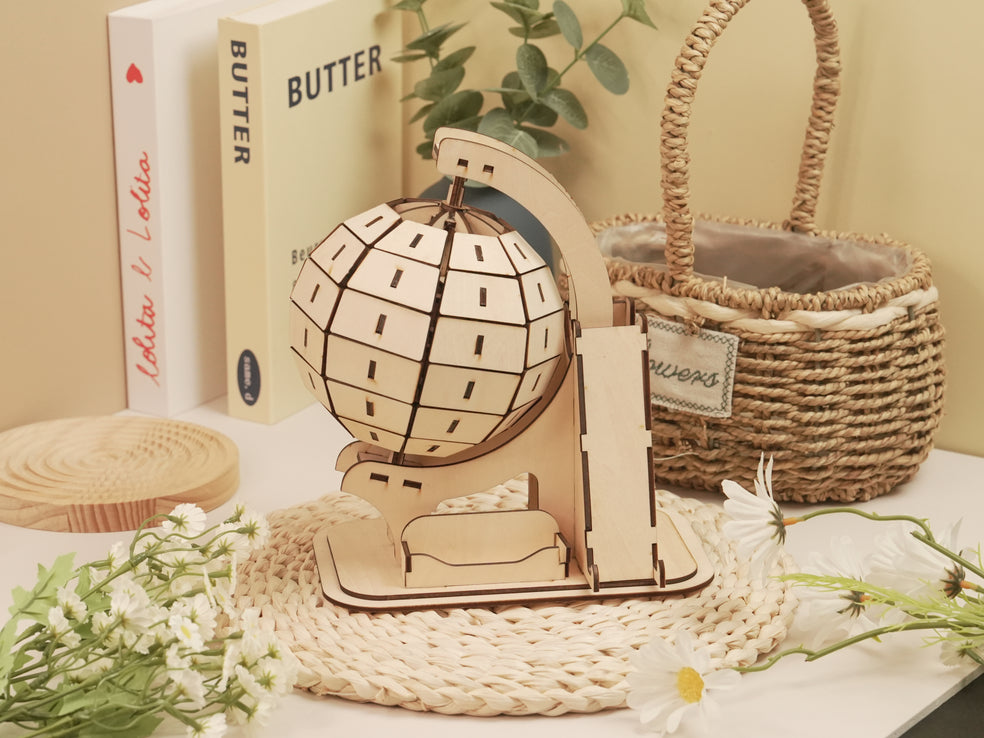
· laser engrave wood for signs, coasters, ornaments, and gifts
· laser cut basswood and plywood for layered décor, boxes, and display pieces
· laser engrave leather for patches, key fobs, journals, and wallet accessories
· laser engrave acrylic for tags, ornaments, and edge-lit décor
· laser engrave tumblers with a rotary setup
· laser engrave mugs and drinkware on supported coated surfaces
· laser engrave jewelry or dog tags with the right machine type
· laser engrave stainless steel, anodized aluminum, brass, and copper with a compatible infrared workflow
That flexibility is why the best retail laser products are not just tools—they’re production platforms. A machine that can move from coasters to ornaments to custom bottle openers to small signs gives you far more room to experiment, sell, and refine your product lineup.
Don’t Ignore Accessories and Setup Costs
One of the most common beginner mistakes is budgeting for the machine only. In reality, a full laser engraving starter setup often includes more than the laser head and frame.
Depending on your projects, you may also want:
· a laser rotary attachment for tumblers and cylindrical products
· laser air assist for cleaner cuts and less scorching
· a laser engraver enclosure for better containment
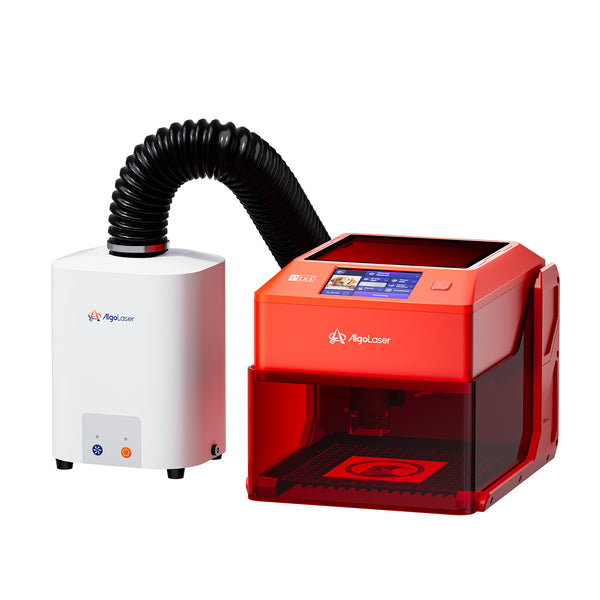
· a laser smoke purifier or ventilation setup
· a laser honeycomb bed
· risers or support accessories for thicker materials
· material packs for testing wood, acrylic, and leather
These extras are not just upsells. They directly affect cut quality, smoke management, safety, and the range of products you can make. If you’re serious about building a laser shop equipment setup, accessories are part of the system, not optional fluff.
How I’d Choose a Retail Laser Product Today
If I were helping a beginner buy a laser product at retail, I’d narrow it down like this:
Choose a compact smart engraver if:
you want the best laser engraver for beginners
you mainly plan to engrave rather than heavy-cut thicker wood
you want a home laser engraver with a smaller footprint
you care about convenience and easier setup
you want a machine for ornaments, keychains, patches, and gifts
Choose an infrared model if:
your focus is metal personalization
you want to engrave jewelry, tags, flasks, or bottle openers
you need a laser engraver for metal
you want a premium custom laser engraving business product mix
Choose a more powerful diode system if:
you want to cut wood regularly
you plan to sell signs, boxes, layered décor, or gift products
you need a laser engraver for small business
you want more flexibility in both engraving and cutting
FAQs
1) What is the best retail laser engraver for beginners?
A compact desktop laser engraver with easy setup, good software support, and a beginner-friendly interface is usually the best choice. A smart machine with AlgoOS or similar guided workflow tools can reduce the learning curve significantly.
2) Are retail laser engravers good enough for a small business?
Yes. Many small business laser machines sold at retail are powerful enough for custom signs, leather patches, ornaments, gift products, jewelry tags, and tumbler personalization. The key is choosing a machine that matches your materials and production goals.
3) Can I engrave metal with a retail laser machine?
Yes, but it depends on the machine type. Standard diode machines are great for many materials, but if metal is your priority, an infrared laser engraver or other metal-focused system is often the better choice.
4) Is AlgoOS better than LightBurn?
They serve different roles. AlgoOS is excellent for a simpler, more approachable standalone laser engraver workflow, while LightBurn software offers more advanced design and production control.
5) What can I make with a laser engraver bought at retail?
You can make signs, coasters, ornaments, leather patches, keychains, gift boxes, tumblers, branded products, jewelry tags, and many other personalized items depending on the machine and material compatibility.
6) What accessories should I buy with a laser engraver?
Common upgrades include a laser rotary attachment, laser air assist, laser engraver enclosure, laser honeycomb bed, and a laser smoke purifier or ventilation setup. These can improve quality, safety, and versatility.
Final Thoughts on Laser Products and Retail
The retail laser market is full of options, but the real decision is not “Which laser looks coolest?” It’s which machine, software, and accessory ecosystem will actually help you make the products you want to make.
For some people, that means a compact AlgoLaser Pixi as a craft laser engraver and beginner platform. For others, it means an AlgoLaser Alpha MK2 as a more capable laser workstation for wood signs, layered décor, and production-style projects. And for metal-focused sellers, a Pixi IR or similar desktop metal engraver may be the right move.
If you treat a laser purchase as a full workflow decision—machine, materials, software, ventilation, accessories, and long-term project goals—you’ll make a much smarter retail buy. And that’s what separates a laser that stays in the box from a laser that becomes part of a real creative or commercial workflow.


