


Home / How - To

Best Small Smart Laser Engravers 2025: 3W vs 5W vs 10W Compared
They say you should never engrave plywood in a poorly ventilated room, but I didn't really believe it until the first plume of resin-thick smoke curled up from my desk, and my cat bolted like I'd fired a cannon. It smelled like burning pine sap and melted crayons—sweet and chemical, a little nostalgic if you've ever scorched marshmallows too close to the fire. That was my introduction to the so-called "smart laser engraver" generation of small laser engravers—the 3W laser engraver, the 5W laser engraver, and the 10W laser engraver.
I'll admit, the "smart" branding made me snort. What does it mean, really? My phone is smart. My toaster claims to be smart (it just beeps at me like a needy bird). A diode laser engraver smart? [Maybe it reads my mind and stops before I ruin another piece of cherrywood engraving?] Spoiler: it doesn't. But it does hum and flash and occasionally feel alive—especially when the gyroscope tilt sensor kicks in and the whole process halts because I bumped the table trying to reach my coffee mug.
The 3W: Polite, Gentle, and a Little Too Shy
The 3W laser engraver was my warm-up act. Pull it out of the box and it looks almost toy-like—compact, light, practically whispering "don't expect too much from me." And to be fair, its laser spot size is neat and tidy: 0.03 by 0.07 mm, sharp enough to etch delicate patterns on MDF, leather engraving, or those thin plywood cutting coasters I bought in bulk off Amazon.
The first cut I tried was a simple leaf pattern. The laser diode traced slowly, the little blue beam darting like a firefly. The smell came first—dry wood, faintly acrid, not offensive. Then the sound: the fan noise whirred with a slightly rattly click, like the desk fan my grandmother used to keep in her sewing room. I watched, nose almost too close, as the lines darkened into the grain.
But here's the disappointment: no matter how many passes I tried, it couldn't quite cut through more than 3mm of MDF. It teased me with neat precision engraving, but the moment I wanted depth—actual small desktop CNC cutting, not just decorative laser patterns—it stalled. It's polite, yes. Gentle, yes. But sometimes you want a portable laser engraver that throws sparks metaphorically, not one that politely doodles on the surface.
[Note to self: stop expecting a 3W diode laser engraver to slice cherrywood like butter—it's like asking a butter knife to carve a steak.]
The 5W: The Overachiever with Quirks
Now, the 5W laser engraver—that's where things got weird. It promises more. Engraves wood, glass, stone, even food (I have yet to laser-etch a banana, but I'm oddly tempted). The specs sheet reads like it's auditioning for a talent show: MDF, walnut cutting, cherrywood engraving, acrylic in neon colors. Maximum cutting thicknesses are flaunted like bragging rights.
My anecdote? I accidentally left the speed way too low while testing a simple geometric pattern on a slice of bamboo. Instead of neat shallow etches, it burned a crater, a charred little volcano, the smell sharp enough to sting my eyes. I cursed, opened a window, waved a notebook like an idiot, but then—I looked closer. The burn had created a gradient engraving effect, darker in the center, fading outward. Totally unplanned, but striking. I've since tried to replicate it, though it's never quite as pretty as the accident.
But the hype? The so-called "preview tracing." The marketing photos make it look like a sci-fi lightshow. In reality, it's a faint red dot preview crawling across your desk. If you squint, maybe it looks like a spaceship landing, but mostly it's like watching a half-dead desktop laser engraver toy for cats.
Still, when it cuts, it cuts. Walnut at 5mm, cherrywood at 8mm—it bites with more confidence than the timid 3W laser engraver. And the fan noise? Louder, slightly growlier, with this low hum that vibrates my desk. I like it. Feels industrial, even though the machine barely weighs 3kg.
The 10W: The Drama Queen
Ah, the 10W laser engraver. This one doesn't whisper, it struts. You unbox it and suddenly you feel like you've upgraded from bicycle to motorcycle. It claims a 0.05 by 0.01 mm laser spot size, which sounds microscopic and precise, but what you notice first is working power. Real cutting, not just engraving. Wood, glass, stone, even bright acrylics that smaller models barely scratched.
The fan noise is different too. The fan is throatier, and at full power, you can hear the pitch shift slightly, like it's inhaling deeper. I etched a design into 10mm red acrylic and the smell—oh boy—the melted plastic smell was like melted spoons at a campfire. Acrid, chemical, made me regret not investing in a proper extractor for fumes. My cat didn't just bolt this time; she left the room entirely, glaring at me like I'd broken some unspoken pet-human pact.
The disappointment? The touchscreen interface. It promises the world: password lock, alarms, diagnostics. But tapping through menus feels clunkier than it should, like scrolling on a 2012 smartphone. And yes, it runs LightBurn laser software beautifully if you shell out the extra 60 bucks, but the so-called "free apps"? Meh. Functional, not delightful.
Still, nothing beats the first time you slice through a piece of orange acrylic cleanly. That crisp, glowing edge, warm under your fingertips, smooth as sea glass. I found myself running my thumb along the cut line over and over. [Small joys. Big fire hazard.]
Comparison Table
| Spec | 3W (the shy one) | 5W (the overachiever) | 10W (the drama queen) |
|---|---|---|---|
| Module Model | 3W diode, 450nm (blue light—tiny but pretty). | 5W diode, also 450nm (yep, still blue—like a sibling with more caffeine). | 10W diode, same 450nm (blue again, but it feels louder somehow). |
| Core Tech | Semiconductor Laser Diode (basically the baby teeth of lasers). | Semiconductor Laser Diode (tries harder, like it's applying to grad school). | Semiconductor Laser Diode (bulked-up version—protein shakes included). |
| Working Power | ≥2000mW (polite handshake). | ≥5,000mW (firm grip, makes eye contact). | ≥10,000mW (smashes your hand and laughs). |
| Total Machine Power | 48W (sips electricity). | 48W (same sip, somehow stronger—don't ask me how). | 72W (finally gulps). |
| Spot Size | 0.03 × 0.07 mm (needle-sharp). | 0.08 × 0.04 mm (fatter, but still sharp enough). | 0.05 × 0.01 mm (claims "precise," feels dramatic). |
| Suitable Materials | MDF, plywood, leather (plays it safe). | Wood, glass, stone, coated metals, acrylic, fabrics, rubber, ceramics, bamboo, food (yes, food—banana art, anyone?). | Same laundry list as 5W (but cuts deeper, with more swagger). |
| Max Cutting Thickness | MDF ~3mm (and then it's like "I'm tired"). | Plywood: 5mm, Pine: 10mm, Walnut: 5mm, Cherry: 8mm, MDF: 3mm, Acrylic: up to 10mm depending on color (orange/yellow = meh). | Pine: 10mm, Cherry: 10mm, MDF: 5mm, Acrylic: up to 20mm (if black) but only 5mm for orange/yellow (lasers hate citrus tones, apparently). |
| Engraving Speed | 6000 mm/min (steady jog). | Same—6000 mm/min (runs like its sibling). | Also 6000 mm/min (so power doesn't mean faster, just… beefier). |
| Working Area | 100×100mm (coaster-sized). Manual Z travel 34mm. | Same cramped square—good for trinkets, not tables. | Ditto, though extendable if you get creative. |
| Control Software | LaserGRBL (free but clunky), LightBurn ($60 and worth it), Mobile App (iffy), 3.5" touchscreen (meh). | Same lineup—because software equality? | Same again, though somehow the screen lags worse when you expect more. |
| Packaging Method | "Ready-to-Use" (their words; feels more like IKEA-without-instructions). | Same RTU, but still unwrap like it's Christmas morning. | Same—though the box feels heavier just to intimidate you. |
| Safety Features | Class 1 laser enclosure, password lock, watchdog system, beam detection, USB cutoff, gyroscope tilt sensor, alarms, diagnostics, over/under voltage. (Basically a helicopter parent in machine form.) | Ditto—buzzes angrily if you nudge it. | Ditto again, though the alarms feel louder when 10W yells at you. |
| Service Life | >10,000 hours (so, forever in hobby terms). | Same promise—fingers crossed. | Same again, though I suspect it likes drama breaks. |
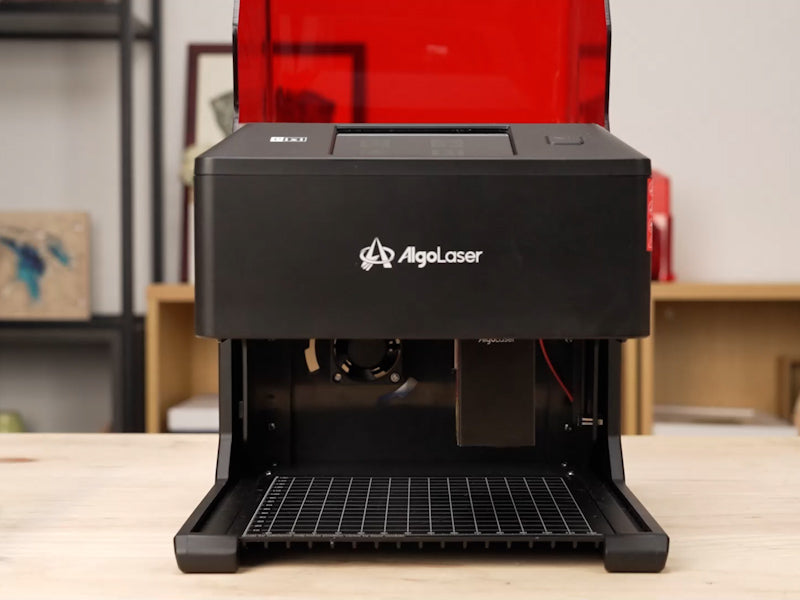
| Dimensions | 305×265×238 mm (shoebox-ish). | Same footprint—tiny desk hog. | Same again, 3.02kg. All three are basically featherweights. |
| Net Weight | 3.02kg (cat-sized). | Same (so no bragging rights). | Same again (drama queen, but secretly light). |
FAQ
Q: Do these things really stink up your house?
A: Yep. Wood smoke odor is campfire-y (sometimes nice, sometimes headache-y). Acrylic smells like melted Legos. Leather burning smell is worst—burnt hair times ten. Always ventilate or use an extractor for fumes.
Q: Can a 3W really engrave leather?
A: Technically yes. It etches fine patterns beautifully, but won't cut shapes. More tattoo artist than surgeon.
Q: Which one is loudest?
A: None are jackhammer loud, but the 10W fan has a deep growl, almost like a vacuum. The 3W is quiet—a rattly whisper.
Q: Do you need fancy software?
A: Free apps exist but feel clunky. I caved and bought LightBurn laser software—best $60 spent.
Q: What's the weirdest thing you've engraved?
A: Haven't done food yet, but tried cardboard engraving on an Amazon box. Surprisingly chic.
Q: Which would you keep?
A: Probably the 5W laser engraver—most versatile for hobby-level projects.
Conclusion: Features That Make the Difference
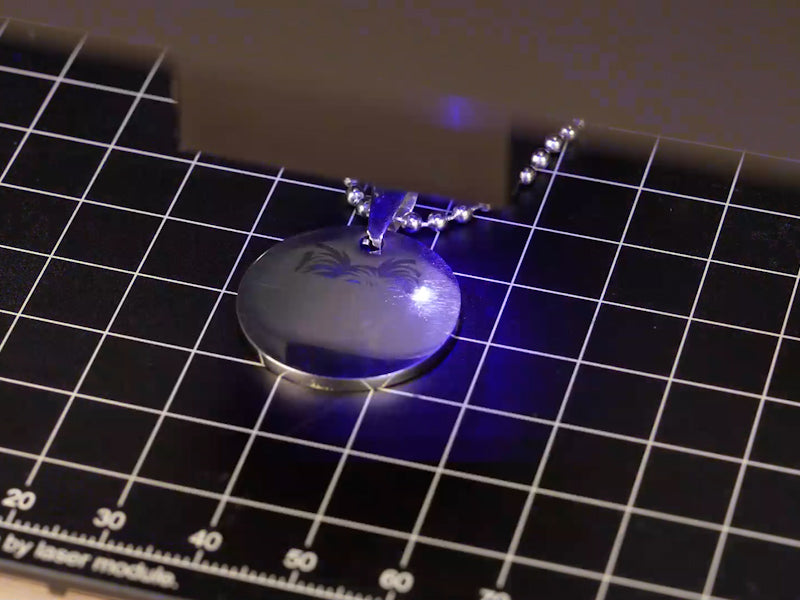
At the end of the day, it's not just watts—it's the stack of features these AlgoLaer Pixi small smart laser engravers bring. Working power, spot size, engraving speed, working area, and control options (LaserGRBL, LightBurn laser software, or mobile app) make the desktop laser engraver feel like a creative partner.
Whether you pick the 3W for entry-level tinkering, the 5W for versatile hobby projects, or the 10W for serious cutting, these design decisions turn a hunk of aluminum and semiconductor laser diodes into a dependable compact laser engraver.


