


Which 10W Laser Engraver Is Best for Detailed Engraving Work?
A Geek Laser Engraver's Guide to Precision with AlgoLaser Pixi, Pixi 1064, and DIY KIT MK2 10W
When it comes to precision craftsmanship, not every laser engraver is built the same. Many machines can burn simple designs into wood, but achieving high-resolution laser engraving, micro-details, and smooth grayscale images requires a carefully designed desktop laser engraver with stable motion, a fine laser spot, and smart engraving software.
As a geek laser engraver who constantly tests materials and pushes machines to their limits, I often hear the same question from hobbyists and small-business creators:
“Which 10W laser engraver is best for detailed engraving work?”
The answer depends on the engraving materials, the level of detail required, and the type of projects you want to create. However, after extensive hands-on testing, three machines stand out in the AlgoLaser ecosystem for precision engraving:
· AlgoLaser Pixi
· AlgoLaser Pixi 1064
· AlgoLaser DIY KIT MK2 10W
These machines represent different strengths in the world of precision laser engraving, from beginner-friendly craft engraving to professional metal marking.
In this guide, we'll explore what makes a high-resolution laser engraver truly effective and why these AlgoLaser machines are excellent choices for fine line laser engraving, creative projects, and small production workflows.
What Makes a 10W Laser Engraver Good for Detailed Engraving?
Before selecting a 10W laser engraver, it's important to understand what actually determines engraving quality.
Many beginners assume that higher power automatically means better engraving, but in reality, laser engraving accuracy depends on several technical factors that influence detail resolution.
A well-designed laser engraving machine balances power, motion control, and beam precision to deliver sharp and consistent results.
1. Ultra-Fine Laser Spot Size
The laser spot size determines how small a detail the engraving laser module can produce.
Modern diode laser engravers designed for precision usually feature a compressed laser spot around 0.06mm to 0.08mm, which allows extremely sharp lines and smooth shading.
This level of laser engraving detail resolution is essential for:
· Photo laser engraving
· Fine typography
· Intricate vector graphics
· Decorative textures
· Micro patterns
· Custom product engraving
A smaller spot size means the laser engraving machine can reproduce artwork with much greater fidelity.
2. Stable Motion System
Even the most powerful engraving laser technology cannot produce clean details if the machine vibrates during operation.
A reliable laser engraving system needs a stable frame and accurate motion control to maintain consistent engraving paths.
High-quality DIY laser engravers often include:
· Precision stepper motors
· Reinforced aluminum frames
· Synchronized belt systems
· Smooth linear motion
These components work together to improve laser engraving performance and prevent wobbling or ghosting in delicate designs.
3. Advanced Laser Engraving Software
A professional laser engraving workflow requires advanced control over engraving parameters.
Many creators rely on LightBurn, which allows detailed configuration of engraving settings such as:
· DPI resolution
· Line interval
· Grayscale engraving mode
· Speed and power tuning
· Vector and raster engraving control
Using proper laser engraving software dramatically improves the final engraving quality.
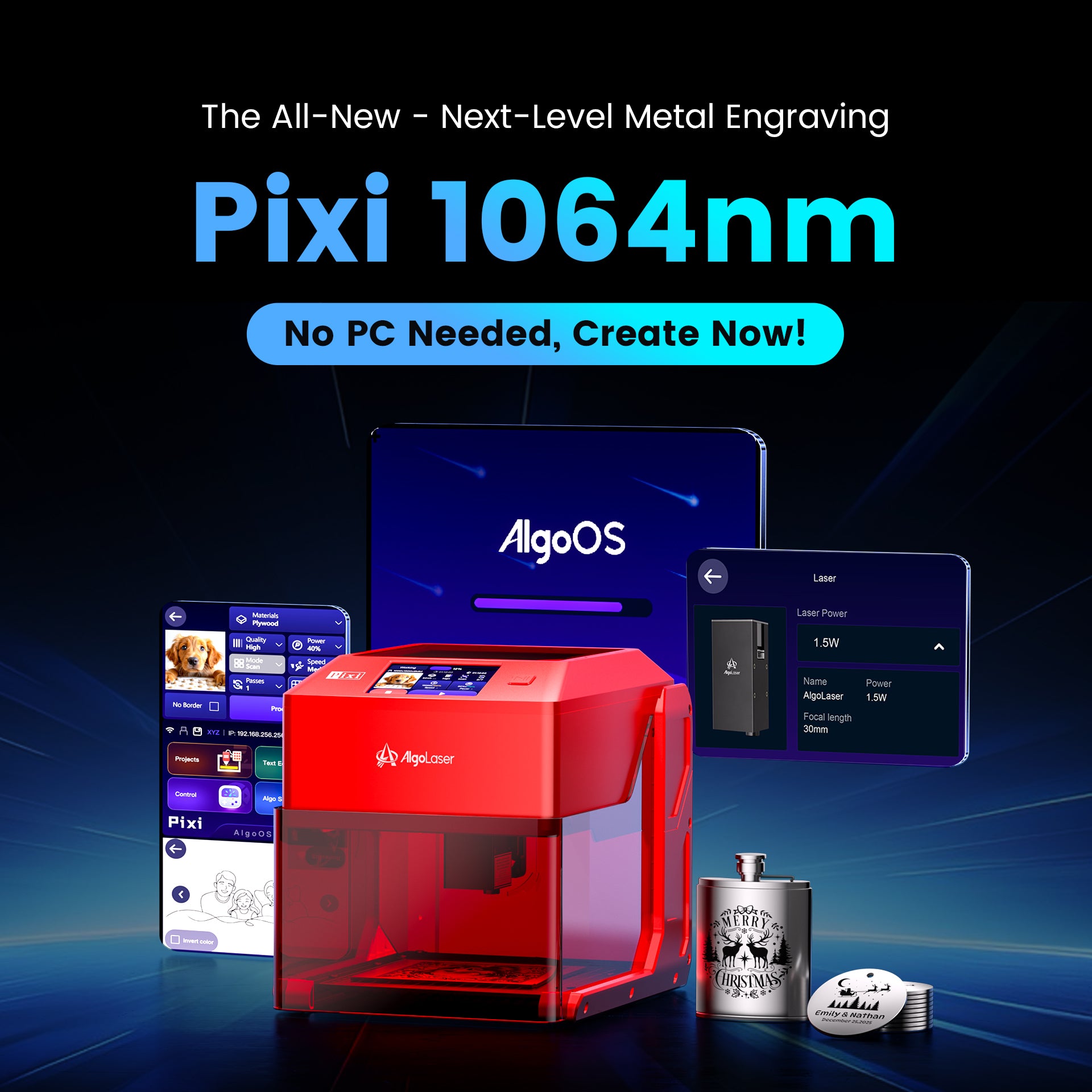
AlgoLaser machines also support standalone workflows through AlgoOS, which simplifies the laser engraving setup and allows creators to engrave without keeping a computer connected.
4. Laser Wavelength and Material Compatibility
Another important factor in laser engraving technology is laser wavelength.
Different materials absorb laser energy differently, which means some machines are optimized for certain materials.
For example:
| Laser Type | Wavelength | Ideal Materials |
|---|---|---|
| Diode laser | ~455nm | Wood, leather, acrylic |
| Infrared laser | 1064nm | Metal, plastics |
Understanding wavelength compatibility helps creators choose the right laser engraving equipment for their projects.
Best AlgoLaser 10W Laser Engravers for Detailed Work
Now let's explore three machines that consistently deliver high-precision laser engraving for makers, artists, and small business creators.
1. AlgoLaser Pixi – A Compact Precision Laser Engraver for Beginners
The AlgoLaser Pixi is one of the most accessible compact laser engravers designed for beginners who want to explore creative laser engraving without complicated setup.
Despite its small footprint, the Pixi offers impressive laser engraving accuracy, making it ideal for detailed craft projects and personalized products.
Why Pixi Is Excellent for Fine Engraving
The Pixi is engineered specifically for high-resolution laser engraving on organic materials. Its precise diode laser module produces extremely sharp lines, which is perfect for creators who want to experiment with artistic engraving techniques.
Typical Pixi projects include:
· Wooden artwork
· Personalized gifts
· Leather engraving designs
· Custom craft products
· Photo engraving projects
· Small decorative items
Because it focuses on engraving precision rather than heavy cutting, the Pixi performs extremely well in fine line laser engraving.
Best Materials for Pixi
This desktop laser engraver works particularly well with materials such as:
· Basswood
· Birch plywood
· Leather
· Bamboo
· Paper
· Cardboard
· Painted metal
· Anodized aluminum
These materials absorb diode laser energy efficiently, allowing the Pixi to produce clean and consistent engraving results.
2. AlgoLaser Pixi 1064 – The Ultimate Metal Engraving Solution
While diode machines are great for wood and leather, metal engraving requires a different laser wavelength.
That's where the AlgoLaser Pixi 1064 excels.
This machine uses a 1064nm infrared laser, which is specifically designed for metal engraving and industrial marking applications.
Why 1064nm Infrared Lasers Are Ideal for Metal
Most metals reflect visible blue laser light, which makes them difficult to engrave with standard diode machines.
Infrared lasers solve this problem by using a wavelength that metals absorb more effectively, enabling extremely clean metal engraving results.
With the Pixi 1064, creators can engrave:
· Stainless steel
· Aluminum
· Titanium
· Brass
· Gold
· Silver
This capability makes it a powerful jewelry engraving laser and a valuable tool for product customization.
Micro-Precision Metal Marking
Another advantage of infrared lasers is their extremely fine beam control.
This allows the Pixi 1064 to produce ultra-detailed metal engravings, including:
· Serial numbers
· QR codes
· Small logos
· Micro text
· Watch engravings
For creators working in custom jewelry production, the Pixi 1064 is one of the most effective metal engraving lasers available in the desktop category.
3. AlgoLaser DIY KIT MK2 10W – A Versatile Precision Workhorse
The AlgoLaser DIY KIT MK2 10W offers a larger engraving area while maintaining excellent laser engraving precision.
For creators running a home laser engraving studio or small business workshop, this machine provides a balance between engraving accuracy and project size flexibility.
Why the MK2 10W Is Ideal for Detailed Projects
The MK2 features a rigid frame and optimized motion system that significantly improves laser engraving quality.
Important advantages include:
· Reinforced aluminum structure
· Smooth gantry motion
· Adjustable laser focusing system
· Large engraving workspace
These features allow the MK2 to handle both large artistic engravings and small intricate designs.
Ideal Applications for MK2
The MK2 is often used for:
· Wooden sign engraving
· Decorative wall panels
· Custom product branding
· Craft business production
· Large photo engraving projects
Its versatility makes it a great laser engraving machine for small businesses and creative makers.

Comparing the Best AlgoLaser Precision Engravers
Here's a quick overview of how these machines compare:
| Machine | Best Use | Ideal Materials |
|---|---|---|
| Pixi | Beginner craft engraving | Wood, leather, acrylic |
| Pixi 1064 | Metal engraving | Stainless steel, jewelry |
| DIY KIT MK2 10W | Larger projects | Wood, leather, acrylic |
Many experienced makers combine multiple laser engraving tools to create a complete production workflow.
For example:
· A Pixi 1064 for metal engraving
· A 10W diode laser engraver for organic materials
This combination provides maximum flexibility for a modern laser engraving studio.
Tips for Achieving Ultra-Detailed Laser Engraving
Even the best laser engraving machine requires proper settings to achieve optimal detail.
Here are some advanced techniques that significantly improve engraving results.
Use Higher DPI Settings
Increasing DPI improves the smoothness of photo laser engraving.
Recommended values include:
· 254 DPI
· 318 DPI
· 400 DPI
Higher DPI produces more detailed grayscale images but increases engraving time.
Adjust Line Interval
The line interval controls the spacing between engraving lines.
Typical settings include:
· 0.08 mm
· 0.06 mm
· 0.04 mm
Smaller intervals produce sharper high-resolution engraving results.
Optimize Speed and Power
Precision engraving usually works best with lower power and higher speed.
Example settings:
| Material | Speed | Power |
|---|---|---|
| Basswood | 3000 mm/min | 20% |
| Leather | 2500 mm/min | 18% |
| Anodized aluminum | 4000 mm/min | 25% |
Always perform a laser material test grid before starting a final project.
Maintain Perfect Laser Focus
Proper focusing dramatically improves laser engraving detail resolution.
A well-focused laser beam produces:
· Sharper engraving lines
· Cleaner grayscale images
· More consistent engraving depth
Taking the time to adjust focus can greatly improve engraving accuracy.

Final Thoughts: Choosing the Best 10W Laser Engraver
If your goal is high-precision laser engraving, choosing the right machine depends on the materials you plan to work with.
Choose AlgoLaser Pixi Laser Engraver if you want:
· A beginner-friendly compact laser engraver
· Excellent detail on wood and leather
· A simple laser engraving setup for crafts
Choose Pixi 1064nm Laser Engraverif you want:
· Professional metal engraving capability
· Jewelry and tool customization
· Ultra-fine micro engraving
Choose DIY KIT MK2 10W Laser Engraver if you want:
· A versatile DIY laser engraver
· Larger engraving workspace
· A machine suitable for a small engraving business
Together, these machines represent some of the most capable precision laser engraving systems available for creators today.
Whether you are building a creative laser engraving studio, starting a craft business, or exploring advanced engraving techniques, AlgoLaser provides powerful tools for turning ideas into beautifully engraved designs.


