


How Do I Choose the Right Rotary Tool for Wood Sculpting?
If you’re serious about leveling up your wood sculpting workflow with a laser engraver, choosing the right rotary tool isn’t just optional—it’s essential for achieving precision engraving, clean cuts, and professional wood carving results. Whether you're working on cylindrical wood engraving, curved surface etching, or 3D wood sculpting projects, the right rotary attachment can dramatically improve your output quality.
As a geek laser engraver, I’ve spent countless hours fine-tuning engraving settings, laser power calibration, rotary axis alignment, and material positioning. In this guide, we’ll break down how to choose the best rotary tool for wood engraving, wood carving, laser cutting, and detailed surface marking, with a focus on high-performance AlgoLaser accessories like ARR, ARC, and RR2.

What Is a Rotary Tool in Laser Engraving?
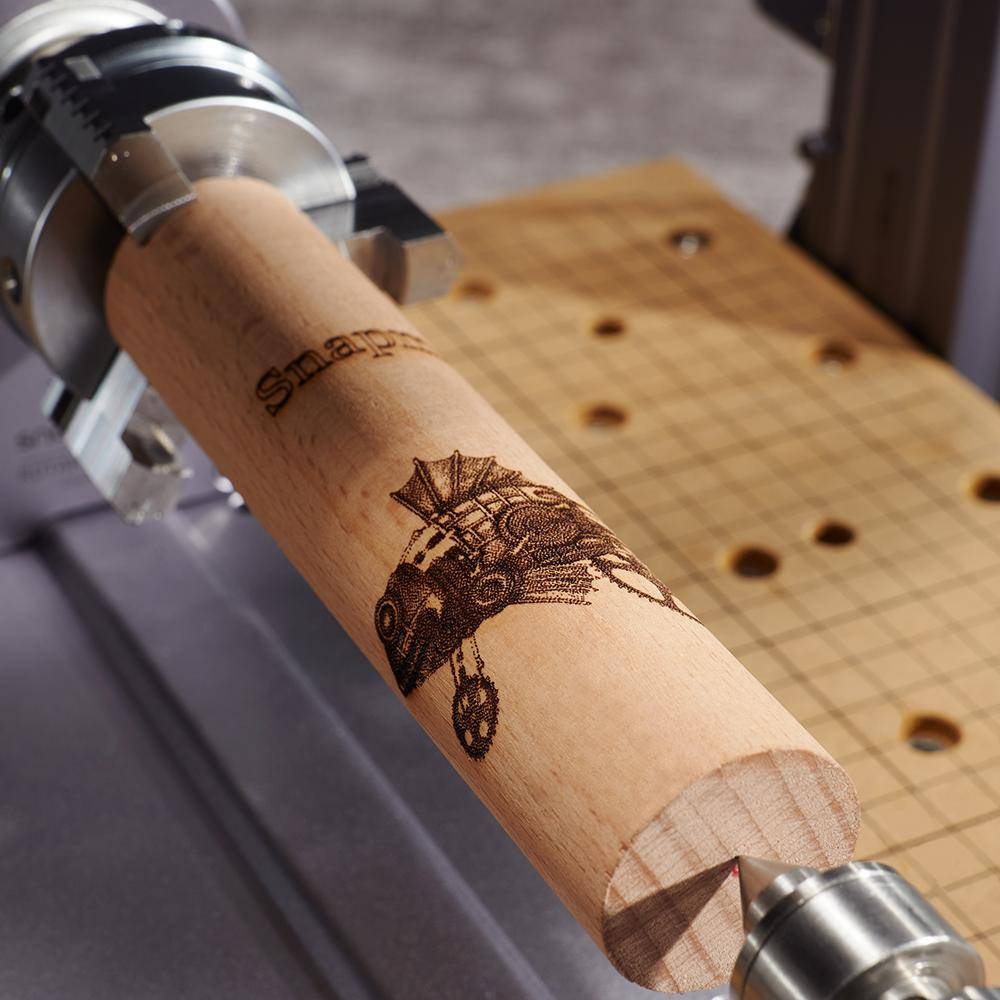
A rotary tool (also known as a rotary attachment, rotary axis device, or cylindrical engraving accessory) allows your laser engraving machine to process round objects, curved materials, and irregular shapes.
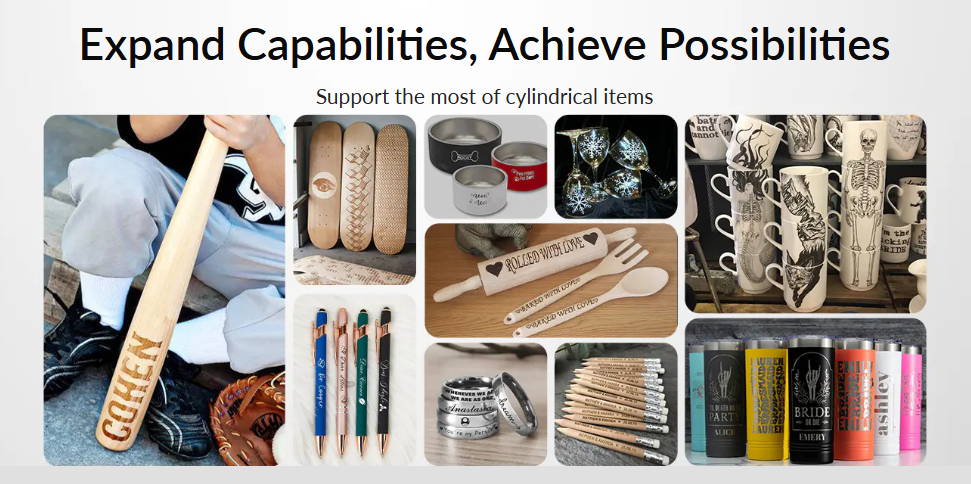
Instead of standard XY axis motion, the rotary system introduces rotational movement, enabling precise engraving on:
· Wooden tumblers
· Cylindrical wood blanks
· Rolling pins
· Wooden cups and mugs
· Decorative wood sculptures
This transforms your machine into a multi-axis engraving system, perfect for 3D engraving, surface contouring, and curved object marking.
Why Rotary Tools Matter for Wood Sculpting
Wood is one of the most popular materials in DIY engraving, custom woodworking, and laser carving projects, but it comes with challenges—especially on curved surfaces.
Without a rotary attachment, you’ll run into:
· Inconsistent laser focus distance
· Uneven engraving depth control
· Burn marks and over-engraving issues
· Distorted artwork and image stretching
A rotary tool ensures:
· Stable rotational speed control
· Consistent engraving resolution
· Smooth surface finishing
· Accurate design transfer onto wood grain
For anyone serious about professional laser engraving, wood design customization, or small business production, this tool is a must-have.
Key Factors When Choosing a Rotary Tool
When selecting the best rotary tool for wood sculpting and engraving, consider these critical factors:
1. Object Shape Compatibility
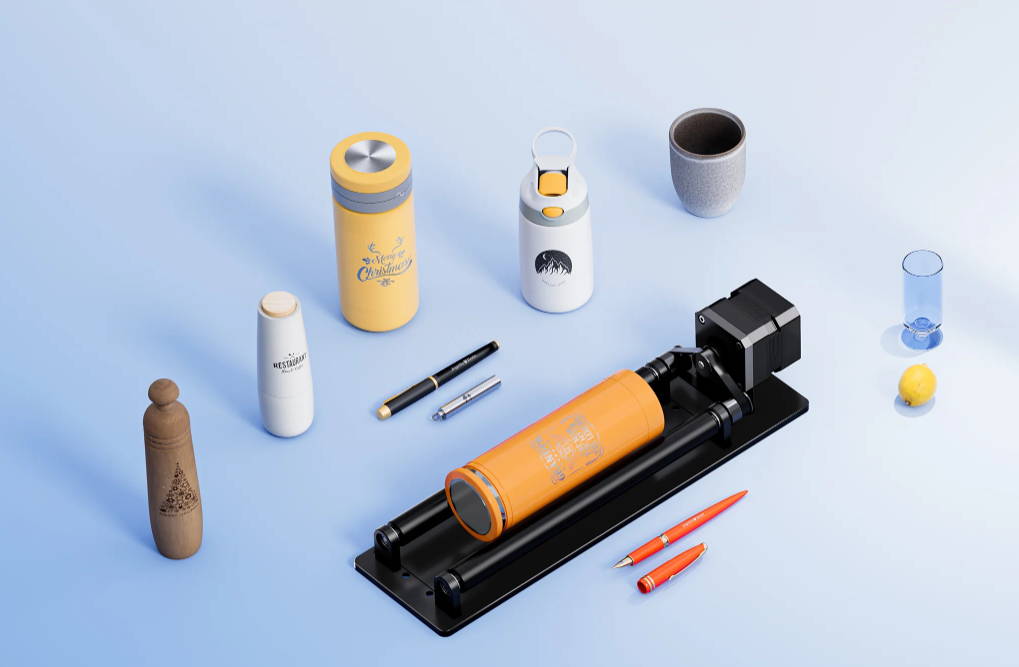
· Rotary rollers = ideal for symmetrical cylinders
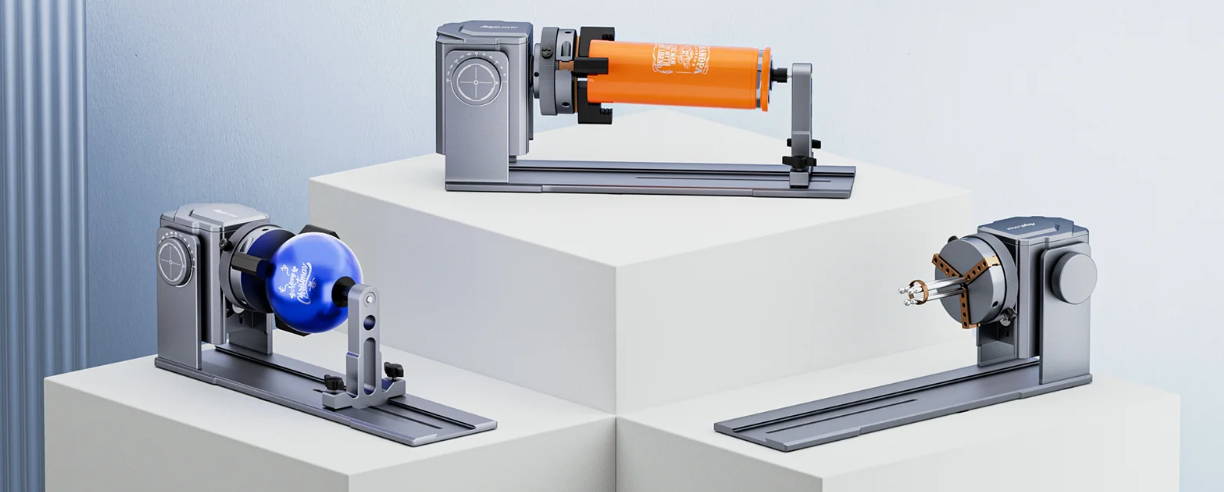
· Rotary chucks = perfect for irregular, tapered, or asymmetrical wood pieces
2. Grip Strength and Stability
Look for:
· Anti-slip support
· Adjustable roller spacing
· Firm chuck clamping
These ensure accurate engraving alignment and reduced vibration.
3. Diameter and Size Range
A versatile rotary tool should support:
· Small wooden dowels
· Medium-sized engraved cups
· Large wooden cylinders
This flexibility is key for batch production and custom engraving services.
4. Software Integration
Compatibility with software like LightBurn is crucial. You’ll need:
· Rotary mode activation
· Steps per rotation calibration
· Object diameter input
· Axis mapping (usually Y-axis replacement)
5. Precision and Adjustability
· High-quality tools allow:
· Fine-tuning of engraving speed and power
· Accurate laser focus adjustment
· Better engraving consistency across surfaces
Top Recommended Rotary Tools for Wood Sculpting
The ARR is a beginner-friendly rotary attachment designed for simple engraving tasks and hobby-level wood projects.
It excels at:
· Smooth cylindrical rotation
· Easy setup and quick calibration
· Reliable performance on uniform wood surfaces
Best for:
· Entry-level users
· DIY wood engraving
· Small cylindrical objects
· Low to medium complexity designs
The ARC is built for precision and control, using a jaw-clamping system to secure objects.
This makes it ideal for:
· Uneven wood shapes
· Tapered wooden designs
· High-detail engraving projects
· Complex sculptural work
Best for:
· Advanced users
· Custom wood products
· Professional engraving workflows
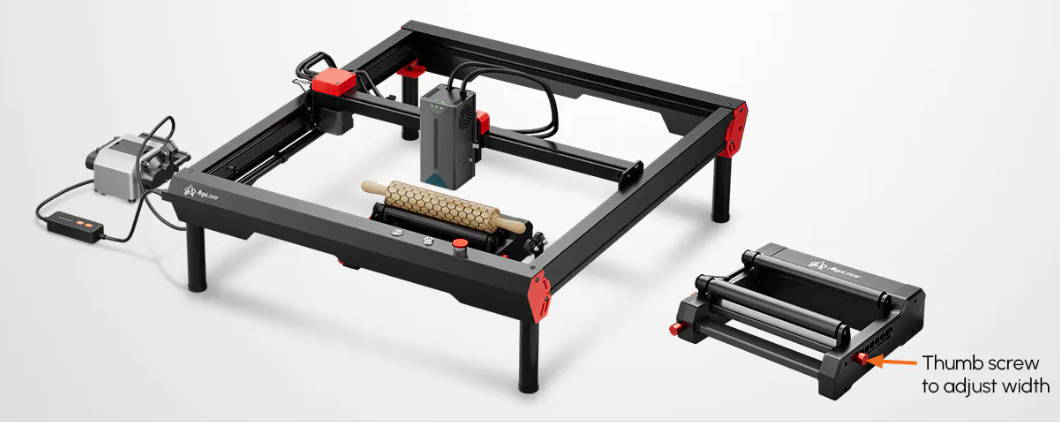
The RR2 is a high-performance rotary system designed for maximum versatility and production efficiency.
Key advantages include:
· Adjustable roller spacing
· Wide material compatibility
· Enhanced engraving accuracy
· Support for large-diameter objects
Best for:
· Professional wood sculpting
· Bulk production
· High-detail laser engraving
· Multi-size object handling
How to Choose the Right Rotary Tool (Quick Guide)
· Choose ARR → for basic engraving, hobby use, and simple projects
· Choose ARC → for precision work, irregular shapes, and fine detail carving
· Choose RR2 → for advanced workflows, scalability, and production environments
Your choice depends on your engraving goals, material types, and workflow complexity.
Pro Tips for Better Wood Sculpting Results
To improve your engraving quality and workflow efficiency, follow these expert tips:
· Measure object diameter accurately for correct scaling
· Use frame preview (low power) before engraving
· Adjust laser speed, power, and passes based on wood density
· Optimize air assist settings to reduce burn marks
· Keep wood surfaces clean for better laser absorption
· Test on scrap material for parameter optimization
FAQs: Choosing the Right Rotary Tool for Wood Sculpting
1. What is the best rotary tool for beginners in wood sculpting?
The ARR is ideal for beginners thanks to its simple setup, stable rotation, and ease of use, making it perfect for basic wood engraving projects.
2. Can I use a rotary tool on all types of wood?
Yes—rotary tools work with softwood, hardwood, plywood, MDF, and bamboo, though softer woods deliver smoother engraving results.
3. What’s the difference between a rotary roller and a rotary chuck?
A roller supports objects via friction, while a chuck provides mechanical clamping for enhanced stability and precision.
4. Do I need special software settings when using a rotary tool?
Yes—enable rotary mode in LightBurn, configure steps per rotation, and input object diameter.
5. How do I prevent slipping or misalignment during engraving?
Ensure proper positioning, tighten grips, balance the object, and always run a test frame alignment check.
6. Is a rotary tool necessary for wood sculpting with a laser engraver?
For flat surfaces, no—but for curved, cylindrical, or 3D wood engraving, a rotary tool is absolutely essential.
Final Thoughts
Choosing the right rotary tool is about more than just accessories—it’s about unlocking the full potential of your laser engraving machine. With the right setup, proper calibration, and optimized engraving parameters, you can achieve high-precision wood sculpting, detailed engraving, and professional-quality finishes.
Whether you're a hobbyist exploring DIY woodworking projects or a business owner scaling custom engraving production, investing in the right rotary tool will take your craftsmanship to the next level.


