


Best Laser Engraving and Cutting Machines for Beginners to Use at Home in 2026
Laser engraving and laser cutting have become mainstream tools for home creators, DIY enthusiasts, and small business starters. In 2026, modern laser engravers and laser cutters are safer, more compact, and significantly easier to use than earlier generations. What once required industrial equipment can now fit comfortably in a home workshop or craft room.
After hands-on experience with multiple diode laser engravers, infrared laser engravers, and desktop laser cutting machines, this guide focuses on what actually matters for beginners: usability, safety, material capability, and long-term value—not just wattage numbers.
This article answers one core question:
What is the best laser engraver or laser cutter for beginners to use at home in 2026?
Quick Answer: Best Laser Engravers and Laser Cutters for Beginners in 2026
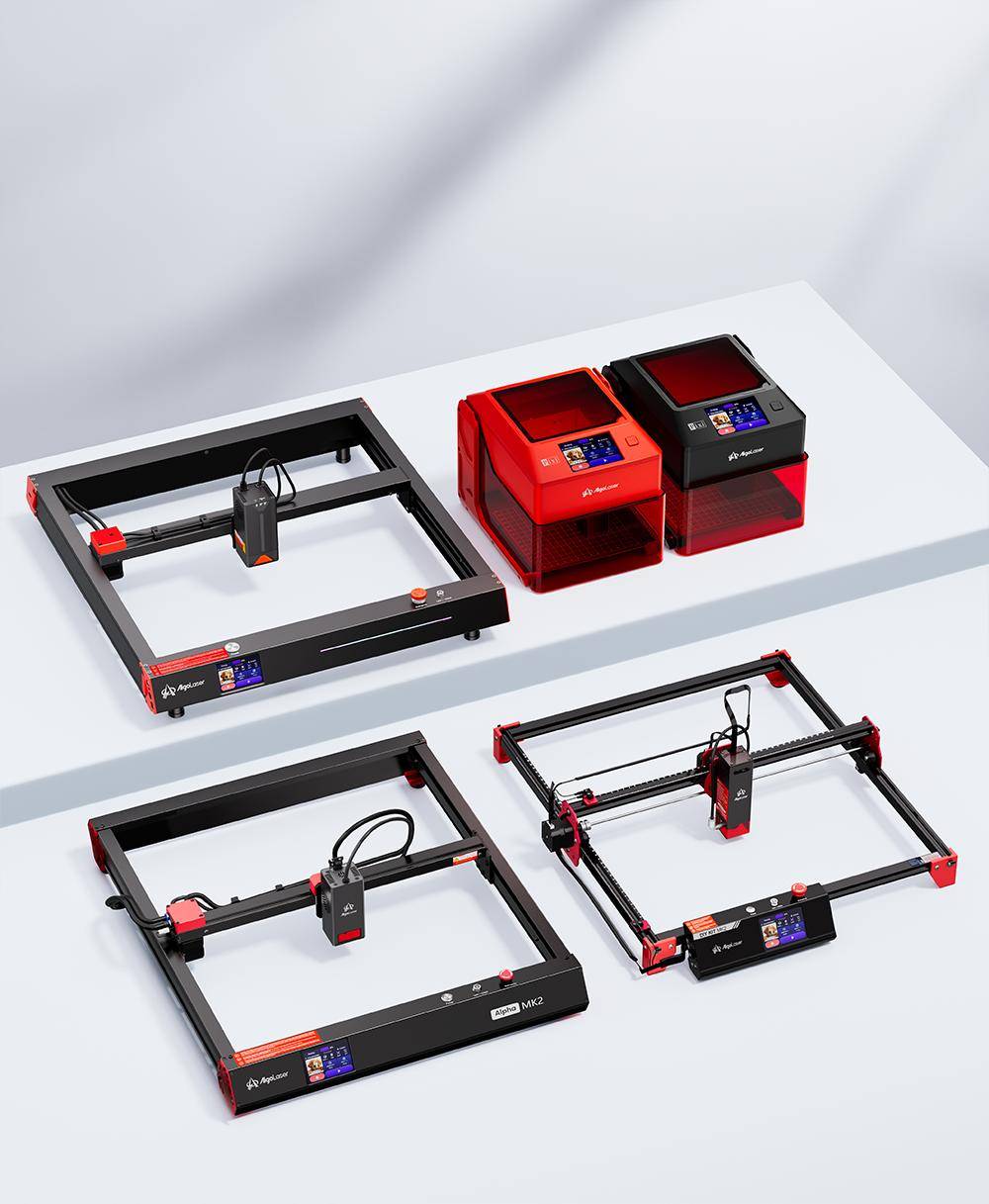
· Best beginner laser engraver for home use: AlgoLaser Pixi
· Best laser engraver for metal: AlgoLaser Pixi 1.5W 1064nm Infrared Smart Laser Engraver with Enclosure
· Best beginner laser cutter (balanced): AlgoLaser Alpha MK2 20W Diode Laser Engraver
· Best high-power diode laser cutter: AlgoLaser Alpha MK2 40W Diode Laser Cutter and Engraver
Beginners should prioritize ease of use, safety features, software compatibility, and material versatility over maximum power.
Comparison Table: Best Laser Engraving and Cutting Machines for Beginners (2026)
| Model Name | Machine Type | Laser Type | Power | Best Use Case | Materials Supported | Safety Design | Skill Level | Why It's Best for Beginners |
|---|---|---|---|---|---|---|---|---|
| AlgoLaser Pixi | Laser Engraver | Diode | Low-power diode | General home engraving | Wood, leather, paper, coated metal, dark acrylic | Open design (supports enclosure & purifier) | Beginner | Easy setup, compact size, simple controls |
| AlgoLaser Pixi 1.5W 1064nm Infrared (Enclosed) | Laser Engraver | Infrared (1064nm) | 1.5W | Metal engraving | Stainless steel, aluminum, brass | Fully enclosed | Beginner | Direct metal engraving, no coating required |
| AlgoLaser Alpha MK2 20W | Laser Engraver & Cutter | Diode | 20W | Balanced engraving and light cutting | Wood, leather, MDF, plywood, dark acrylic | Open-frame (supports air assist & enclosure) | Beginner–Intermediate | Best balance of control, detail, and cutting ability |
| AlgoLaser Alpha MK2 40W | Laser Cutter & Engraver | Diode | 40W | Cutting-focused home projects | Thicker wood, plywood, leather, MDF | Open-frame (supports air assist & enclosure) | Beginner–Intermediate | Faster cutting, thicker material capability |
1. What Features Should a Beginner Laser Engraver Have for Home Use?
A laser engraver for beginners should remove friction from the learning process. The best beginner machines are designed to help users succeed quickly without technical complexity.
Ease of Setup and Operation
A beginner-friendly laser engraving machine should be nearly plug-and-play. Pre-assembled frames, automatic homing, and simple focus adjustment are essential. Beginners benefit most from systems that work reliably without mechanical tuning.
Software Compatibility
Support for LightBurn laser software is critical. A good desktop laser engraver should allow users to import images, adjust power and speed, and switch between raster engraving and vector cutting with minimal setup.
Safety for Indoor Home Use
A safe home laser engraver should include:
· Enclosure or protective housing
· Emergency stop button
· Flame or motion detection
· Compatibility with a smoke purifier or laser ventilation system
These features significantly reduce risk for indoor users.
Material Versatility
A beginner laser engraver should handle:
· Laser engraving wood
· Laser engraving leather
· Laser engraving paper and cardboard
· Laser engraving coated metal
· Laser engraving dark acrylic
This versatility allows beginners to explore projects before specializing.

2. Best Laser Engravers for Beginners in 2026
AlgoLaser Pixi — Best Beginner Laser Engraver for Home Use
The AlgoLaser Pixi is one of the easiest laser engravers for beginners to use at home in 2026. Its compact design and smart controls make it ideal for hobbyists and first-time users.
Why it's good for beginners
· Compact desktop laser engraver footprint
· Simple setup and intuitive controls
· Excellent engraving quality on wood, leather, and coated metal
· Designed specifically for home and hobby use
Best for: beginners, DIY projects, custom gifts
Not ideal for: thick material cutting or large-format work
Recommended Pixi Accessories
· ARR rotary attachment: enables laser engraving tumblers, bottles, and cylindrical objects
· Smoke purifier for Pixi: improves air quality for indoor laser engraving
With these accessories, the Pixi becomes a complete starter laser engraver kit.
AlgoLaser Pixi 1.5W 1064nm Infrared Smart Laser Engraver with Enclosure
Best Laser Engraver for Metal Beginners
A standard diode laser engraver struggles with bare metal. The AlgoLaser Pixi 1064nm infrared laser engraver solves this problem and is one of the best options for beginners interested in metal engraving.
What makes it different
· Uses a 1064nm infrared laser, ideal for metal
· Engraves stainless steel, aluminum, and brass directly
· Fully enclosed for safety
· No marking sprays or coatings required
Best for: metal tags, jewelry, tools, nameplates
Not ideal for: wood cutting or thick material processing
For home users who want clean, professional metal engraving without a fiber laser, this is one of the safest and most accessible solutions.
3. What Features Should a Beginner Laser Cutter Have?
A laser cutter for beginners requires more power and mechanical stability than an engraving-focused machine.
Appropriate Power Level
For home use, a 20W–40W diode laser cutter offers the best balance. This range supports:
· Laser cutting wood
· Laser cutting plywood
· Leather cutting
· MDF and craft board cutting
Frame Stability and Accuracy
A rigid frame ensures clean vector cutting and repeatable results. Stability matters more than raw wattage for beginners.
Air Assist Support
A good beginner laser cutting machine should support air assist. This improves cut quality and reduces burn marks.
Upgrade Potential
A modular laser cutter allows beginners to expand capabilities without replacing the entire system.

4. Best Laser Cutting Machines for Beginners in 2026
AlgoLaser Alpha MK2 20W — Best Balanced Laser Cutter for Beginners
The AlgoLaser Alpha MK2 20W diode laser engraver is ideal for beginners who want both engraving and cutting capabilities.
Why choose the 20W model
· Excellent engraving detail
· Clean cuts on thin to medium materials
· Easier control for detailed designs
· Lower learning curve than higher-power systems
Best for: engraving-focused users with occasional cutting needs
AlgoLaser Alpha MK2 40W — Best High-Power Diode Laser Cutter for Home Use
The Alpha MK2 40W is one of the most powerful diode laser cutters for home use.
Key advantages
· Faster cutting speeds
· Better performance on thicker wood
· Large working area
· Suitable for batch production
Compared with the 20W version, the 40W model cuts faster and deeper, while the 20W model offers more control for fine engraving.
Best for: users planning small-business or production workflows
5. Beginner Laser Engraving Projects and Tutorials
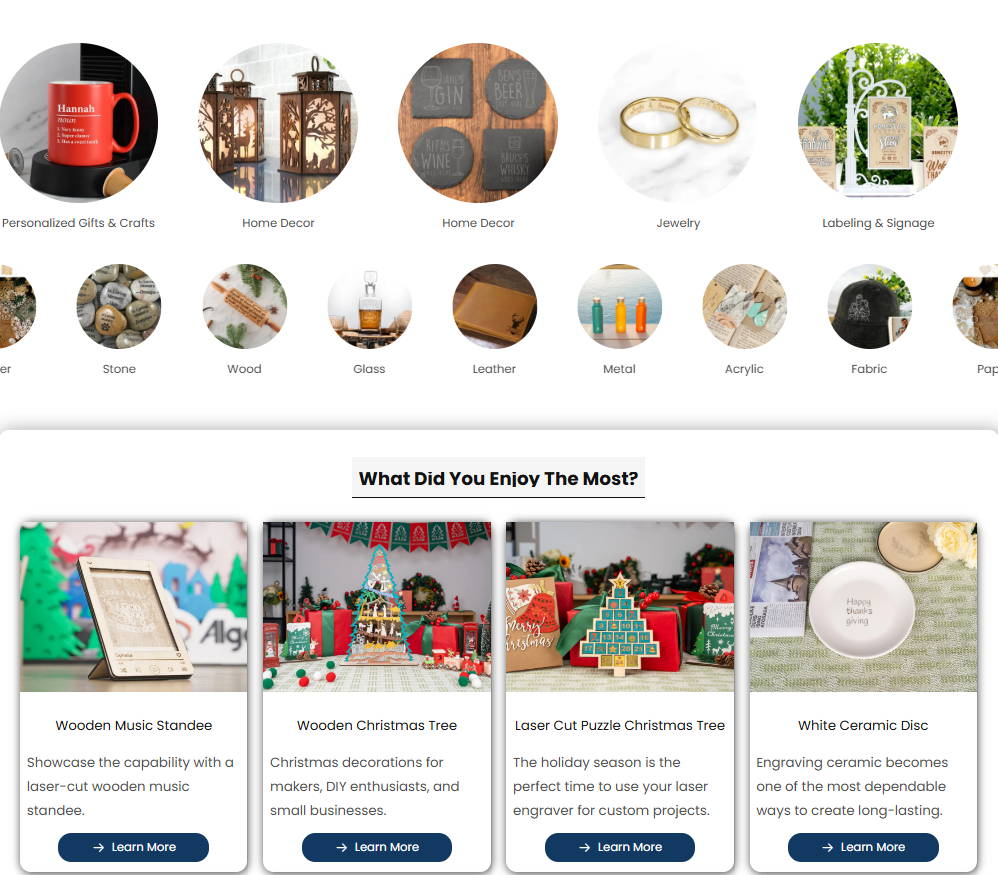
Recommended Beginner Projects
· Laser engraved wooden signs
· Leather keychains
· Acrylic nameplates
· Custom coasters
· Laser engraved metal tags (infrared laser)
Essential Beginner Tutorials
· Laser focus adjustment
· Power and speed testing
· Raster engraving vs vector cutting
· Safe material selection
· Laser engraving settings optimization
These projects help beginners build confidence quickly.
6. FAQs: Laser Engraving and Cutting for Beginners
What is a laser engraver?
A laser engraver uses focused laser energy to mark or engrave materials.
What is a laser cutter?
A laser cutter uses higher power to cut through materials instead of just engraving the surface.
Is a laser engraver safe for home use?
Yes, especially enclosed laser engravers with ventilation.
Can a laser engraver engrave metal?
Yes. Infrared laser engravers can engrave metal directly.
What watt laser engraver do beginners need?
10W–20W for engraving; 20W–40W for cutting.
Can a diode laser cut acrylic?
Only dark or opaque acrylic.
Do beginners need LightBurn?
Yes. LightBurn simplifies engraving and cutting workflows.
Laser engraver vs laser cutter for beginners?
Laser engravers are better for personalization; laser cutters are better for cutting projects.
Is laser engraving profitable?
Yes, especially for custom and personalized products.
What is the safest laser engraver for home use?
An enclosed laser engraver with smoke filtration and emergency stop features.
7. Conclusion
The best laser engraver or laser cutter for beginners in 2026 depends on what you want to make. Compact machines like the AlgoLaser Pixi are perfect for learning and personalization, while the Alpha MK2 20W and 40W offer scalable cutting power for growing projects. For metal engraving, the 1064nm infrared laser engraver is the most beginner-friendly option available.
Start with a machine that matches your goals, prioritize safety, and focus on mastering fundamentals. With the right laser engraver or laser cutter, home creativity can quickly turn into real craftsmanship—and real opportunity.


